
You spent weeks on it. You found the perfect technique for that curved roof, rebuilt the chassis three times and finally nailed the colour scheme. Then you posted three photos, collected a few hundred likes, and the model went back on the shelf. This guide is about giving your MOC a second life: letting other builders order the exact parts in one click, build it at home, and pay you for the design if you want them to.
In 30 seconds
- Publishing a MOC on BuyMeBricks is free. You upload the part list, photos and PDF instructions.
- Buyers get every part plus your instructions in one order. We handle sourcing, payment, packing and shipping.
- Set a designer fee and keep 85% of it on every sale, or set it to zero and share your design for free.
- You also get a creator profile, followers, stars, comments, verified reviews, buyers' build photos and a sales dashboard.
1. Why selling a MOC is harder than it should be
Selling instructions is the easy part. The hard part is what happens next: your buyer gets a PDF and a part list of 200 references, and has to go and find them all. Many give up halfway. The ones who don't often spend more on shipping from five different stores than on your design.
That gap between "I love this" and "I built this" costs you sales. On BuyMeBricks, the parts come with the design. The buyer clicks Add to cart once and gets everything in one parcel. Fewer abandoned builds means more happy builders, and more people sharing photos of your design.
2. How selling on BuyMeBricks works

- Build it your way. Design it in Studio or with real bricks, then export the part list.
- Share it. Upload the part list, your best photos and your instructions as a PDF. Our team checks every submission before it goes live.
- Builders order it. Anyone can order every part of your MOC in one click. We source, pack and ship the bricks to 65 countries.
- They build it and show you. Buyers can post photos of their finished build on your MOC page, leave a review and ask you questions.
- Your fan base grows. Builders follow your creator page, star your designs and come back for the next one.
You never touch a brick, a parcel or a customer's card. You design; we handle the logistics.
3. Free or paid? Choosing your designer fee
Every MOC has two price components: the parts cost, calculated live from our catalogue, and your designer fee, which you choose. You keep 85% of the fee. The other 15% is the platform commission. Parts, fulfilment and shipping are never deducted from your share.
| Designer fee | You earn per sale | 10 sales | 100 sales |
|---|---|---|---|
| $0 (free) | $0 | $0 | Lots of followers |
| $5 | $4.25 | $42.50 | $425 |
| $10 | $8.50 | $85 | $850 |
| $20 | $17 | $170 | $1,700 |
🎁 Share it for free
Builders only pay for the parts. No Stripe account needed, so it's the fastest way to publish and a great way to get your name out there.
💸 Earn from every sale
Add a designer fee on top of the parts and keep 85% of it. Requires connecting a payout account (see Getting paid).
How much should you charge?
There's no single right answer, but a few rules of thumb help:
- Look at the parts cost first. It's shown on your MOC page. A $10 fee on a $25 kit feels very different from a $10 fee on a $150 kit.
- Price the work, not just the piece count. Clean, well-paged instructions with sub-builds and colour callouts are worth more than a bare step list, and buyers notice.
- Start one design free. A free "gateway" MOC builds followers who'll pay for your next, bigger one.
- You can change your mind. Edit the fee later and send the update for review.
4. Before you start: the 4 files you need
| File | Required? | Formats & tips |
|---|---|---|
| Part list | Yes | CSV (Rebrickable), XML (Studio / BrickLink) or LDraw (.ldr / .mpd) |
| Cover image | Yes | Your best shot. It's the thumbnail in the store and the preview when you share your link. |
| Extra photos | Optional | Up to 8. Show the back, the details and the interior. |
| Instructions | Recommended | PDF booklets, plus any extras (LDraw models, colour guides, schematics), up to 100 MB each |
💡 Design with parts we can send
If you design in Studio, import our free BuyMeBricks Studio palette first. It lists every part and colour we stock, so your MOC ships 100% complete. Buyers see a completion badge on every MOC, and "100%" sells better than "92%". Our Studio tutorial walks you through the import.
5. Tutorial: publishing your MOC, step by step
Step 1: Export your part list
From Studio: open your model, go to the File menu → Export As, and export the part list as an XML (BrickLink wanted list) file.
From Rebrickable: on your MOC's page, open the inventory and export the parts as a Rebrickable CSV.
From LDraw: you can upload the .ldr or .mpd model file directly.
Step 2: Fill in the basics
Go to Share a MOC (you'll need a free account). Add:
- A title people search for. "Lisbon Tram 28" beats "My Tram Project".
- A short description, shown on the store cards. One punchy sentence.
- A full description with bold, headings, lists and images. Tell the story: what inspired it, which techniques you used, how long it takes to build.
- Category, difficulty and minimum age. They power the store filters, so get them right.
Step 3: Choose free or paid
Pick Share for free or Earn per sale and enter your designer fee in US dollars.
Step 4: Upload the part list
Drop your file in. Every line is matched to our catalogue on the spot, and you'll see each part, its quantity and its unit price. If something can't be matched, now's the time to swap it in your model and re-upload.
Step 5: Save the draft, then add images and instructions
Save your draft to unlock the uploads. Add your cover image, up to 8 more photos and your instruction files. Buyers can download all of them right after purchase.
Step 6: Preview, then submit for review
Use Preview Page to see exactly what buyers will see. Happy? Accept the Creator Agreement and click Submit for Review.
6. What our review team checks
Every MOC is checked by a person on our team before it goes live. That review is part of why buyers trust the store. It covers three things:
- Quality. Photos, part list, instructions and description should tell the buyer exactly what they'll get. Clear photos and complete, readable instructions make approval quick.
- Intellectual property. The design must be your own work and must not infringe anyone else's rights.
- Safety. Nothing that could put a builder at risk.
If something needs fixing, you'll get the reason and can resubmit once it's addressed.
Once approved, your MOC gets its own page and appears in the store and on your creator profile. Later edits (a new photo, a fee change, a corrected part list) are reviewed too, and your live page stays online, unchanged, until the update is approved.

7. Getting paid
Designer fees are paid out through Stripe Connect: you connect your payout account once and your 85% is credited on every paid sale. Payouts are processed on request, subject to the minimum threshold in force at the time. If Stripe doesn't operate in your country, contact us; we can set up PayPal payouts by agreement.
Your creator dashboard shows views, sales and earnings for each MOC, with charts, so you can see which designs (and which social posts) actually convert.

8. 7 ways to sell more (and build a fan base)
- Share your link everywhere. Every MOC page uses your cover photo as its preview. Post it on Instagram, Reddit, Discord or your favourite forum: anyone who clicks can order the parts straight away.
- Nail the cover photo. Plain background, good light, a three-quarter angle. It's your store-front.
- Answer every comment. Replies show up on your page and turn curious visitors into buyers.
- Ask buyers for build photos. Nothing sells a MOC like a photo of it on somebody else's desk.
- Design for 100% completion. Use our Studio palette so your MOC never shows a "% complete" warning.
- Release in series. A city block, then the one next to it. Followers come back for the set.
- Watch your dashboard. If views are high but sales are low, try a better cover photo, a clearer description or a lower fee.
Your MOC deserves more than a shelf
Publishing is free. Share it for free, or keep 85% of every designer fee.
Become a creator →9. FAQ
Does it cost anything to publish a MOC?
No. Publishing is free. If you set a designer fee, we keep 15% of that fee per sale, and nothing else.
Do I keep the rights to my design?
Yes. You keep ownership of your design. You grant BuyMeBricks a non-exclusive licence to display, promote and sell it on the platform while it's listed, so you're free to share it elsewhere too.
Can I share my MOC for free?
Yes. Leave the designer fee at zero and builders only pay for the parts. You still get followers, stars, comments and build photos.
Which part list formats are accepted?
CSV (Rebrickable), XML (Studio / BrickLink) and LDraw model files (.ldr / .mpd).
Who can post build photos on my MOC?
Anyone who bought your MOC can share photos of their finished build on its page.
What if some of my parts aren't in stock?
Your MOC can still be sold as long as at least 90% of its pieces can be supplied. Buyers see the completion percentage and aren't charged for missing parts. To avoid it altogether, design with our Studio palette.


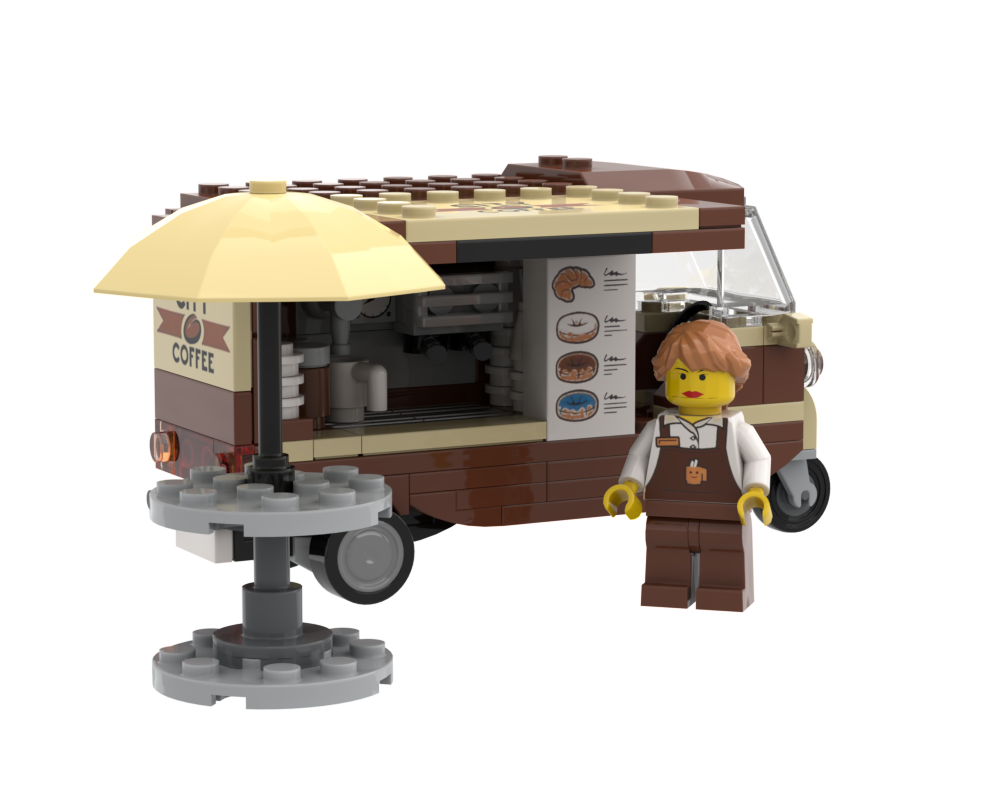

 Buy parts on BuyMeBricks · ~$24.50